data.gov.sg

Actually there is no such site data.gov.sg right now, but it would be good for Singapore to have one at some point. *looks at IDA*

Under the Obama administration, the US Federal CIO Council recently launched Data.gov.

“A primary goal of Data.gov is to improve access to Federal data and expand creative use of those data beyond the walls of government by encouraging innovative ideas (e.g., web applications). Data.gov strives to make government more transparent and is committed to creating an unprecedented level of openness in Government. The openness derived from Data.gov will strengthen our Nation’s democracy and promote efficiency and effectiveness in Government.” from Data.gov

It might seem like just another site, but its implication is HUGE, especially when i recently read Wired’s Road Map for Financial Recovery: Radical Transparency Now!

“Keeping the rest of us safe can no longer fall to government regulators alone. But if we enable a system in which everyone is a regulator, there just might be enough eyes, enough checks and balances, enough promising DIY economists out there to make sure the financial world doesn’t innovate the real world into depression ever again.” from Wired.

Having attended the recent WebSG Meetup, the issue about opening up government data to the general public was also touched on. I so hope to see Singaporeans stepping forward with innovative ideas on how government data can be used / presented / analysed so as to achieve happiness, prosperity & progress for our nation.

If you have ideas, pls share.

Singapore2010.sg

singapore2010.sg

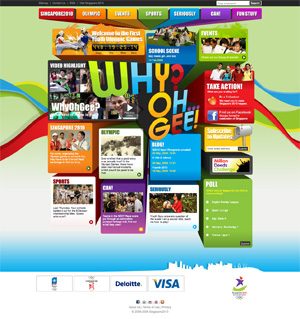
Yeah! to Singapore for hosting the world’s first ever Youth Olympic Games. And Yeah! to Convertium for launching the revamp and development of the website. Thanks go out to our fabulous team that made this project a success and especially for making it all look so easy.

Being the project manager on this project, i do see the hard and clever work that was put it and seriously have to say the team did fantastic with the tight timeline.

The website used to be a flash website and did not have a CMS, hence our team not only revamped the design, but also developed the website with a besopke CMS that could manage 2 websites. Namely www.singapore2010.sg and www.whyohgee.sg.

whyohgee.sg

Singapore2010.sg is the official site which catered more to the media and also IOC members and partners, while the WhyOhGee site was more a rah rah type website that was meant to engage the youth. I have to say the designs came out well and met the brief and intended audience.

A job well done guys. Thanks.

Yesterday.sg

Yesterday.sg

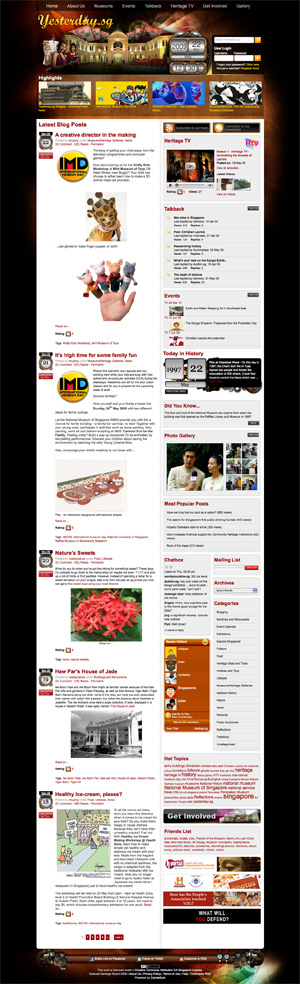
Convertium consulted, designed, migrated and implemented the most popular heritage blog in Singapore Yesterday.sg. You can read more about the site on here. I think it might even be one of the best websites in its category and maybe even in the world. I really think so.

The site is powered by the very popular WordPress blog engine and the timing was perfect as development started just after WP 2.7 “Coltrane” was announced.

This project was done in about 10 weeks and i have to say its one of the proudest project i have worked on. I lead the project as a project manager and had the best team possible to support me in terms of design and development.

Yesterday.sg

A few interesting things from behind the scenes.

We wanted the retain the Yesterday.sg logo, but as it was just the standard Mistral font, we thought that its kinda dry, hence I came up with the idea to put the clock hands at the “a”. Our designer animated it & it simply looks perfect.

There are quite a number of custom WordPress plugins developed by our engineer and from the backend, it works seamlessly with the core engine. Very well done.

We migrated 2700+ users from Expressions Engine & almost 1000 photos from the old gallery. The tricky thing was that there was no available script out there to export user DB from EE to WP, hence our engineer wrote one himself! woot! The script also randomly assigned a strong password to all users via a nice welcome to new website email.

The website work with Google Map API and Youtube API.

A job well done guys.

4 Levels of CSS knowledge

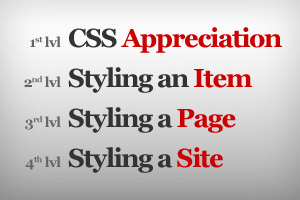
I believe that there are milestones in a web designer’s pursuit of CSS mastering. Usually at early stages, some think that they are CSS gurus already, only to find out that there are alot more still to learn. I think there are 4 levels and each level in itself will take weeks / months to master.

1. Basic Appreciation

If you’ve never used CSS before, then having a basic understanding and appreciation of why people use CSS would be a real eye opener. Its almost like re-learning how to build websites all over again in a totally different way, so this means you will also need to change the way you plan and design.

CSS Introduction at w3schools.com is one good place to start. Also if you wanna read about why learn CSS at all, you might want to read the book that changed the web design industry, the very famous Designing With Web Standards by Jeffery Zeldman.

2. Styling Items

To style an item using CSS is the easiest part. Adding color, padding, etc. all these are the most basic.

A good tool would be css-ref.com.

3. Styling a Page

Now things start getting tricky when you use CSS to control layout. The main thing would be to stop using tables for layout as tables are meant to display data or information.

The one confusing item you would hit would definitely be the floats and clears.

The one website that helped me understand this best is Russ Weakley’s Floatutorial.

4. Styling a Site

If you already know how to style items and layouts, then styling a full site might still be challenging.

The normal problem faced is that ID and CLASS declarations are not well planned, hence causing alot of unnecessary declarations.

Also common items (eg. content container, content highlights, etc) should use the same the HTML structure, but when these items appear in different sections, pages or even templates, they should still have the flexibility to look different.

I found Mollio to be a very good reference to how a site can plan its XHTML structure and CSS declarations.

The Designer, Graphic Designer & the Web Designer

I work with designers all the time and i do find that within the design field, there is a huge difference in skill when it comes to designing. They all seem to possess the same skill set. Photoshop, aestethics appreciation, coming up worth something from nothing, etc. but working with so many different types of designers, I find that there are 3 types in the web design playing field.

  • The Designer – this person executes and takes instructions, can take the long hours and can make a piece of 2D surface look good.
  • The Graphic Designer – this person creates something from nothing and has the ability to fill up any empty space or make something absolutely boring look interesting.
  • The Web Designer – this person does not just design in 2D and considers issues such as interactivity, usability, consistency, scalability, etc.

Being in the web design field, I sometimes get frustrated when web designers behave like a Designer or a Graphic Designer. When a design is done and approve, then somewhere in the development cycle, certain design elements can’t work. Its not just a matter of experience, but also if the person is truly a Web Designer or not.

So if you are a designer, what are you?